> ## Documentation Index
> Fetch the complete documentation index at: https://docs.genfuseai.com/llms.txt
> Use this file to discover all available pages before exploring further.
# Create a workflow
> How to build an agent workflow with GenFuse AI
### How to Create a Workflow
1. **Log in** to your [GenFuse AI account](https://genfuseai.com/sign-up).
2. Navigate to the **Agent Workflows** page from the sidebar.
3. Click **New Workflow** in the top-right corner.
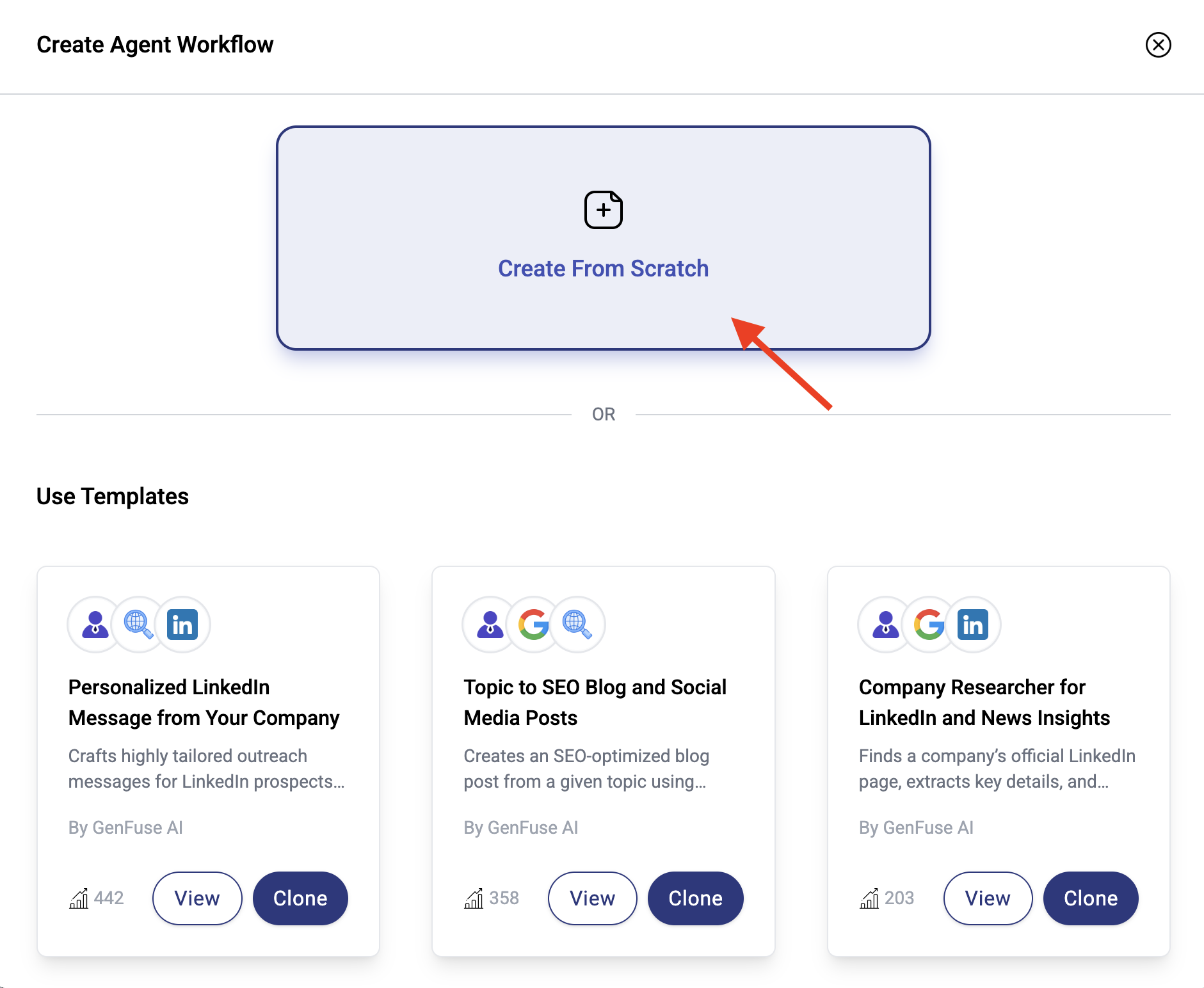
4. Choose one of the following options:
* **Use a Template** – Start from a prebuilt workflow designed for common use cases.
* **Start from Scratch** – Begin with a blank canvas and build your workflow step by step.
5. In the `Config` tab, give your workflow a **name** and **description**.
6. Click **Save** to create the workflow.
7. Your workflow will now appear on the **Agent Workflows** page, where you can run, edit, or share it as needed.
You’re now ready to start designing your automation by adding triggers, agents, tools, and more.
 ***
### How to Customize Your Workflow
1. **Open your Workflow:**\
Navigate to the **Agent Workflows** page and click on the workflow you want to customize.
2. **Modify the Configuration:**\
In the `Config` tab, update the workflow's **name** and **description**.
3. **Customize the Workflow:**\
Use the drag-and-drop editor in the `Build` tab to rearrange or replace nodes (Triggers, AI Agents, App Integrations).
4. **Update Node Settings:**\
Click on individual nodes to change inputs, outputs, or add/remove tools as needed.
5. **Test Your Changes:**\
After updating, click **Save** and then **Test** to verify that your workflow performs as expected.
6. **Use the Workflow:**\
In the `Use` tab, run your workflow, view past runs and share it with your team.
***
[Follow this guide to build your first agent workflow in under 5 minutes!](/quickstart)
***
### How to Customize Your Workflow
1. **Open your Workflow:**\
Navigate to the **Agent Workflows** page and click on the workflow you want to customize.
2. **Modify the Configuration:**\
In the `Config` tab, update the workflow's **name** and **description**.
3. **Customize the Workflow:**\
Use the drag-and-drop editor in the `Build` tab to rearrange or replace nodes (Triggers, AI Agents, App Integrations).
4. **Update Node Settings:**\
Click on individual nodes to change inputs, outputs, or add/remove tools as needed.
5. **Test Your Changes:**\
After updating, click **Save** and then **Test** to verify that your workflow performs as expected.
6. **Use the Workflow:**\
In the `Use` tab, run your workflow, view past runs and share it with your team.
***
[Follow this guide to build your first agent workflow in under 5 minutes!](/quickstart)