> ## Documentation Index
> Fetch the complete documentation index at: https://docs.genfuseai.com/llms.txt
> Use this file to discover all available pages before exploring further.
# Use Templates
> Use our pre-built agent workflow templates to jumpstart your automation
### Agent Workflow Templates
Kickstart your automation with ready-made agent workflows. These templates are designed to help you get up and running fast — no need to build everything from scratch.
You can use them as-is or customize them to fit your exact needs.
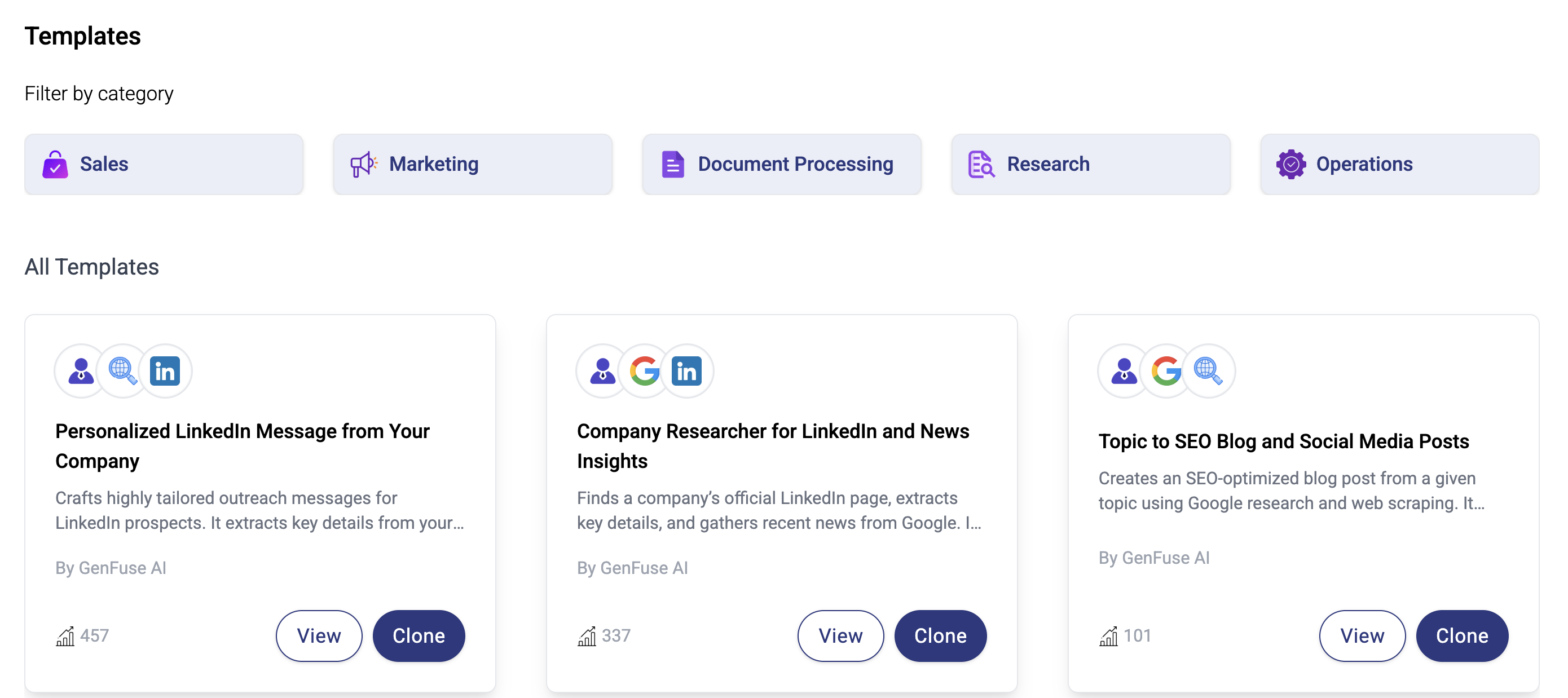 ### How to Use a Template
1. **Browse Templates**\
Head to the **Templates** tab in the dashboard to see all available agent workflow templates.
2. **Pick One That Fits**\
Choose a template based on what you’re trying to automate — whether it’s lead research, reporting, content creation, or more.
3. **Make It Your Own**
* Edit the workflow name and description
* Add or remove steps (triggers, agents, tools, or integrations)
* Customize each agent’s instructions or behavior
4. **Save and Run**\
Once it looks good, hit **Save** — then **Run** the workflow and see it in action.
5. **Tweak Anytime**\
You can update or build on the workflow at any time. Templates are just the starting point.
[Try a Workflow Template!](https://genfuseai.com/dashboard?component=Templates)
### How to Use a Template
1. **Browse Templates**\
Head to the **Templates** tab in the dashboard to see all available agent workflow templates.
2. **Pick One That Fits**\
Choose a template based on what you’re trying to automate — whether it’s lead research, reporting, content creation, or more.
3. **Make It Your Own**
* Edit the workflow name and description
* Add or remove steps (triggers, agents, tools, or integrations)
* Customize each agent’s instructions or behavior
4. **Save and Run**\
Once it looks good, hit **Save** — then **Run** the workflow and see it in action.
5. **Tweak Anytime**\
You can update or build on the workflow at any time. Templates are just the starting point.
[Try a Workflow Template!](https://genfuseai.com/dashboard?component=Templates)